The Internal Knowledge Assistant: Why It Is Almost Always the First Enterprise AI Build
Internal knowledge assistant development explained: why it comes first, the architecture, permissions, groundedness evals, adoption, failure modes and build vs buy.
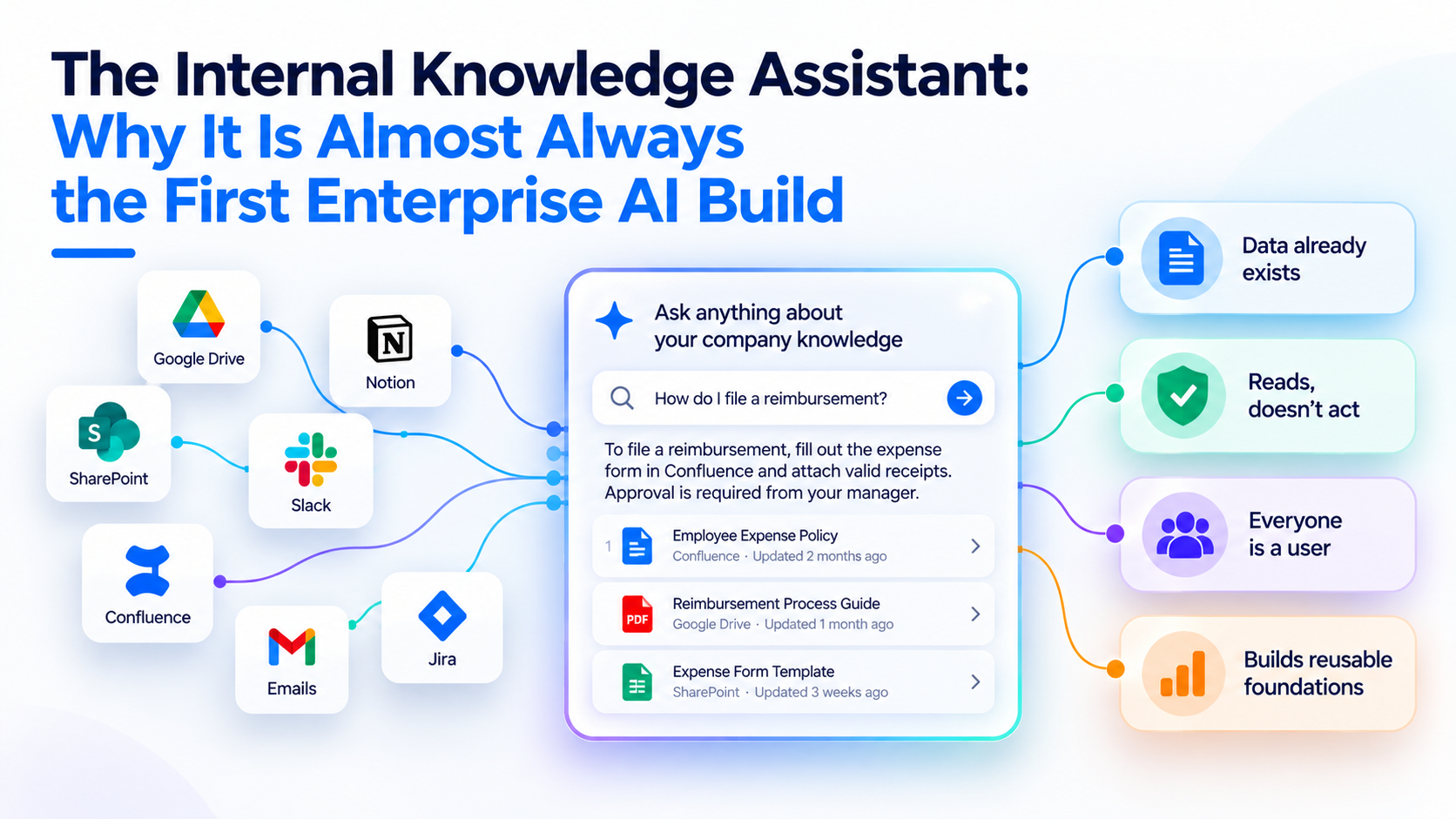
An internal knowledge assistant is an AI tool that answers employees' questions from the company's own documents, wikis, tickets and chat history, with citations, and only from content each person is allowed to see. Internal knowledge assistant development is usually the first serious enterprise AI build because the data already exists, the assistant reads rather than acts, and every later AI project reuses the plumbing it forces you to build.
That plumbing is the real prize: connectors, an index, permission sync and an evaluation set. This guide, part of our agentic AI and LLM engineering series, covers why the use case comes first, the reference architecture, how to measure groundedness, why adoption stalls, the failure modes we see most, and when buying Glean, Microsoft 365 Copilot or ChatGPT Enterprise beats building.
Why is the knowledge assistant almost always the first enterprise AI build?
Because it has the best ratio of value to risk of any internal use case. Four reasons stand out.
- The data is already there. Policies, runbooks, product specs, contracts and past tickets sit in SharePoint, Confluence, Google Drive, Slack and the service desk. You don't need a new data-collection project before you start.
- It reads; it doesn't act. A wrong answer with a visible citation is an inconvenience the user can check. A wrong action in a finance or HR system is an incident. Read-only scope keeps the first build out of the hardest governance debates.
- Everyone is a user. Sales, support, engineering, HR and legal all ask "where is the document that says…?" questions, so one build serves the whole company.
- It builds reusable foundations. Connectors, chunking, a permission model, logging and an eval harness are the same parts a support agent or a workflow agent will need later.
What does the survey data say? Menlo Ventures' "2024: The State of Generative AI in the Enterprise" (600 US enterprise IT decision-makers, published November 2024) ranked enterprise search and retrieval third among generative AI use cases at 28% adoption, behind code copilots (51%) and support chatbots (31%). The same report put retrieval-augmented generation (RAG) at 51% adoption among design patterns, up from 31% a year earlier. Menlo's December 2025 follow-up, based on 495 decision-makers, found prompt design still "the dominant technique, followed by retrieval-augmented generation (RAG)."
To be precise about what that data shows: it doesn't prove knowledge assistants are the first project everywhere. Code copilots are more widely adopted, but they are usually bought, not built. Among use cases a company builds or configures over its own content, knowledge retrieval is the common starting point, and RAG is the pattern underneath it.
What should a first knowledge assistant do, and not do?
Scope is the decision that most affects whether you ship in weeks or stall for quarters.
| In scope for version one | Out of scope for version one |
|---|---|
| Answer questions from a defined set of sources, with citations | Every system in the company on day one |
| Summarize a policy, ticket thread or document set | Writing to systems of record (HRIS, ERP, CRM) |
| Say "I couldn't find that" when sources are missing | Answering from the model's general knowledge without saying so |
| Respect the same access rules as the source systems | A separate permission model maintained by hand |
| Log questions, sources used and feedback | Unlogged, untraceable answers |
A good first slice is one department with a clear pain, such as IT service desk deflection or sales enablement, plus three to five source systems. Breadth comes later.
What is the reference architecture for an internal knowledge assistant?
Six layers, each with a clear owner and a clear test.
| Layer | What it does | What breaks if it's weak |
|---|---|---|
| Ingestion and connectors | Pull content and metadata from source systems, on a schedule or by change events | Stale answers, missing documents |
| Parsing and chunking | Turn PDFs, slides, tables and pages into clean, retrievable passages | Answers cut mid-table, lost headings |
| Indexing and hybrid search | Store embeddings and keyword indexes; retrieve and rerank candidates | Right document exists but isn't found |
| Permissions-aware retrieval | Filter results to what the asking user may see | Data leaks between teams |
| Generation with citations | Write the answer only from retrieved passages and cite them | Confident, uncheckable answers |
| Evaluation and observability | Score groundedness and retrieval; log every query | No way to prove quality or find regressions |
Ingestion: connectors are most of the work
Each source system has its own API, rate limits, content model and permission scheme. A production connector handles incremental sync (only changed items), deletions (a removed document must leave the index quickly), and metadata such as owner, last-modified date and department. Document parsing deserves its own attention: scanned PDFs need OCR, and tables and slides lose meaning if flattened into plain text.
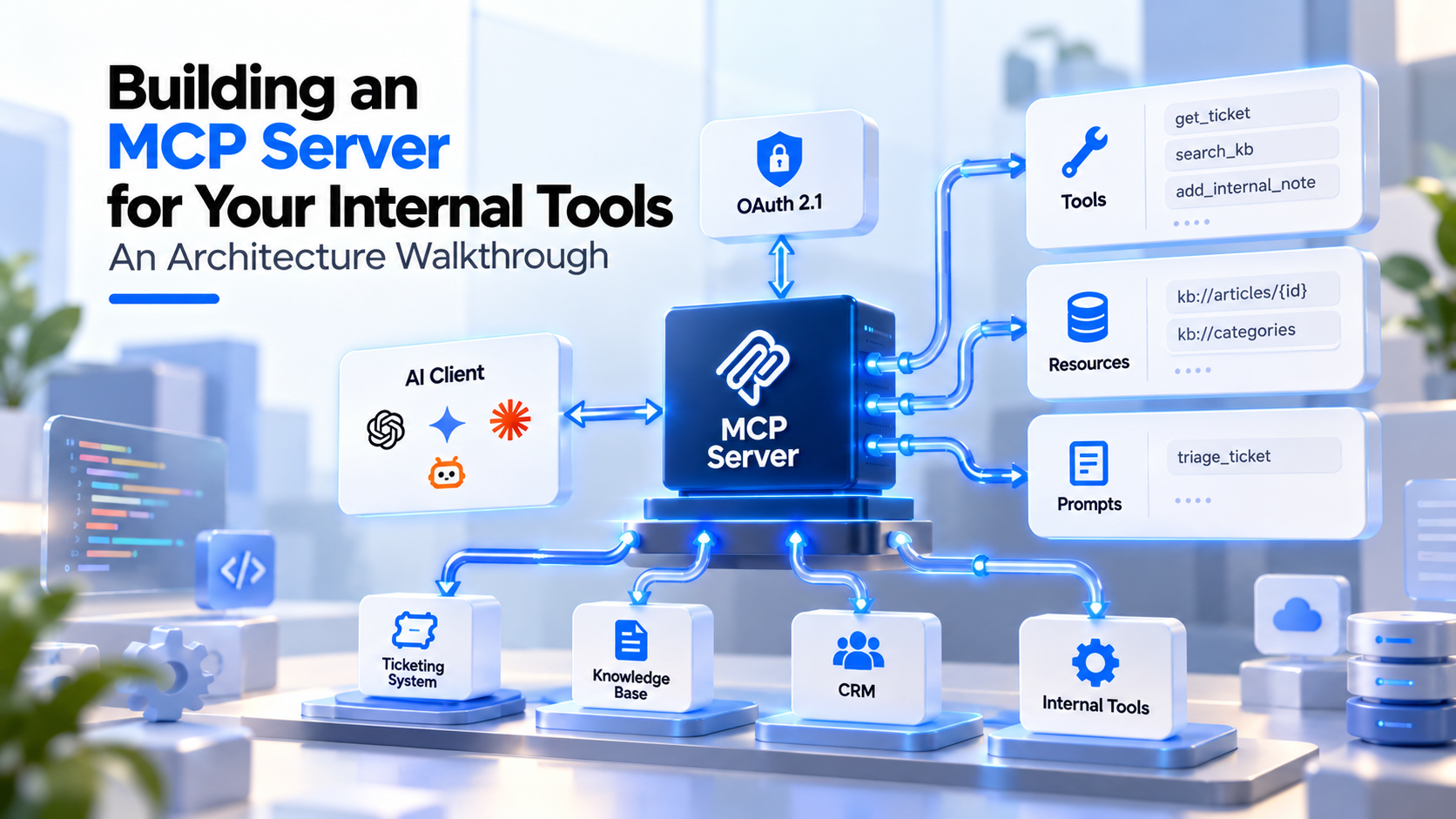
This is where MCP enters the picture. If you expose the index, or individual source systems, as tools through the Model Context Protocol, any MCP-compatible assistant can use them, not just the one you are building now. Our explainer on what MCP is covers the standard, and the walkthrough on building an MCP server for your internal tools covers the design work that MCP server development services typically deliver: scopes, auth and which operations stay read-only.
Chunking: keep structure, not just tokens
Split documents along their own structure (headings, sections, list items, table rows) rather than at a fixed character count. Carry the document title and section path with each chunk so a passage like "the limit is 30 days" still says which policy it belongs to. Anthropic's Contextual Retrieval write-up (September 2024) notes chunks are typically a few hundred tokens and that size, boundaries and overlap all affect retrieval, so test on your own corpus rather than copying a default.
Hybrid search and reranking
Pure vector search finds passages with similar meaning but misses exact strings: product codes, ticket numbers, error codes and people's names. Keyword search (BM25) finds those but misses paraphrases. Hybrid search runs both and merges the ranked lists, commonly with reciprocal rank fusion. Anthropic's example is a query for the identifier "TS-999," which embeddings can miss and BM25 catches. A reranking step then reorders the top candidates before they reach the model. Internal corpora are full of identifiers, so hybrid search is rarely optional here.
Permissions-aware retrieval and ACL sync
This is the layer that decides whether security signs off. The assistant must return only passages the asking user could open in the source system. There are two common patterns:
- Filter at query time. Store each chunk with the access control list (ACL) of its source document, expressed as user and group IDs. At query time, resolve the user's identity and group memberships from your identity provider and filter the search to matching chunks.
- Check at the source. Retrieve candidates, then confirm access against the source system's API before using them. This is more accurate but slower, and is often used as a second check for sensitive collections.
ACL sync is the hard part. Group memberships and sharing settings change constantly, and many systems have their own permission constructs. Microsoft's documentation for Microsoft 365 Copilot connectors (formerly Microsoft Graph connectors) gives the example of Salesforce permission sets and ServiceNow local groups, and states that when you ingest these items "you need to honor these ACLs." The OWASP Top 10 for LLM Applications 2025 lists vector and embedding weaknesses (LLM08) and recommends "permission-aware vector and embedding stores" with strict partitioning.
One more point: permission-aware retrieval faithfully reproduces your existing oversharing. If a salary spreadsheet is shared with "everyone in the company," the assistant will find it. Run a permissions cleanup on high-risk sites before launch. For wider controls on contractors and offshore teams handling this data, see our guide to data security in offshore AI development.
Generation with citations
Instruct the model to answer only from supplied passages, to cite each claim, and to say clearly when the sources don't contain the answer. Show citations as links back to the source document, at section level where possible. Citations do two jobs: users can verify, and content owners can see which documents are driving answers.
How do you evaluate an internal knowledge assistant?
Measure retrieval and answers separately, and add tests that general RAG guides often skip.
| Metric | Question it answers | How to measure |
|---|---|---|
| Retrieval recall at k | Did the right passage appear in the top results? | Labeled question-to-passage pairs |
| Groundedness (faithfulness) | Is every claim in the answer supported by retrieved text? | Claim-level check, by LLM grader validated against human labels |
| Citation accuracy | Does each citation actually support the sentence it's attached to? | Sampled human review plus automated checks |
| Correct refusal | Does it say "not found" when the answer isn't in the sources? | Questions with deliberately missing answers |
| Permission leakage | Can user A ever get content only user B may see? | Test accounts with different access; must score zero |
| Freshness | How long after a document changes does the answer change? | Edit a test document; time the update |
Groundedness is the headline quality metric. The open-source Ragas library, for example, defines its faithfulness score as the number of claims in the response supported by the retrieved context divided by the total number of claims. Build your test set from real employee questions (pull them from the service desk and Slack), include the awkward ones, and rerun it after every change to chunking, models or prompts.
Should you fine-tune instead? For a knowledge assistant, almost never as a first step. Fine-tuning doesn't give you citations, freshness or per-user access control. Our guide on when to fine-tune vs RAG walks through the decision and the evaluation ladder in detail.
Why do knowledge assistants go unused after launch?
The build can be technically sound and still fail on adoption. The usual reasons:
- It lives in the wrong place. A separate web app gets forgotten. Put the assistant where questions already get asked: Teams, Slack, the intranet or the service desk portal.
- The first answers are bad. Employees judge in the first week. Launch to one team with a curated source set rather than to everyone with everything.
- Nobody owns the content. The assistant exposes outdated and contradictory documents. Assign content owners and send them the questions that returned "not found" or got thumbs-down.
- Success isn't defined. Pick one business measure up front, such as service desk tickets deflected, time to answer for new joiners, or sales questions resolved without escalation, and report it monthly.
What are the most common failure modes?
| Failure mode | What users see | Fix |
|---|---|---|
| Stale index | Answers cite last quarter's policy | Incremental sync with deletion handling; freshness alerts |
| Permission leak | Someone sees a document they shouldn't | ACL-filtered retrieval, leakage tests in CI, oversharing cleanup |
| Vector-only search | Misses ticket numbers, product codes, names | Hybrid search plus reranking |
| Lost structure | Half a table, or a rule without its exceptions | Structure-aware chunking with section context |
| Conflicting sources | Two answers depending on the day | Prefer authoritative sources via metadata; surface conflicts to owners |
| Silent fallback to model knowledge | Plausible answer, no citation | Instructions plus groundedness evals; block uncited answers |
| No eval set | Every change is a guess | Golden question set run on every release |
| Prompt injection via documents | A document's text tries to steer the assistant | Treat retrieved text as untrusted; no write actions without approval |
Many of these trace back to the same root causes that sink AI pilots generally: no baseline, no owner and no production plan.
Should you build or buy an internal knowledge assistant?
Buy first if your content mostly lives in mainstream SaaS tools and the off-the-shelf product's connectors cover it. Build, or extend, when your knowledge lives in custom systems, needs domain-specific retrieval, or must run inside your own cloud. The options below reflect the vendors' own documentation; check current plans, regions and connector coverage before deciding.
| Option | What the vendor documents | Best fit | Watch for |
|---|---|---|---|
| Glean | More than 275 native and MCP-based connectors; "inherits and enforces source-system permissions"; says changes and permission updates sync as they happen | Companies with many SaaS sources wanting search plus assistant across all of them | Coverage of homegrown systems; how far you can tune retrieval |
| Microsoft 365 Copilot | "Only surfaces organizational data to which individual users have at least view permissions"; Copilot connectors bring external data into Microsoft Graph, with the requirement to honor source ACLs | Organizations standardized on Microsoft 365 | Existing SharePoint oversharing becomes visible; external data needs connector work |
| ChatGPT Business / Enterprise (company knowledge and connectors) | Company knowledge (October 2025) searches connected apps such as Slack, SharePoint, Google Drive and GitHub with citations; "ChatGPT only has access to what each user is already authorized to view" | Teams already using ChatGPT as their main assistant | Admin-managed sync availability varies by workspace and region; individually authorized sync is no longer offered |
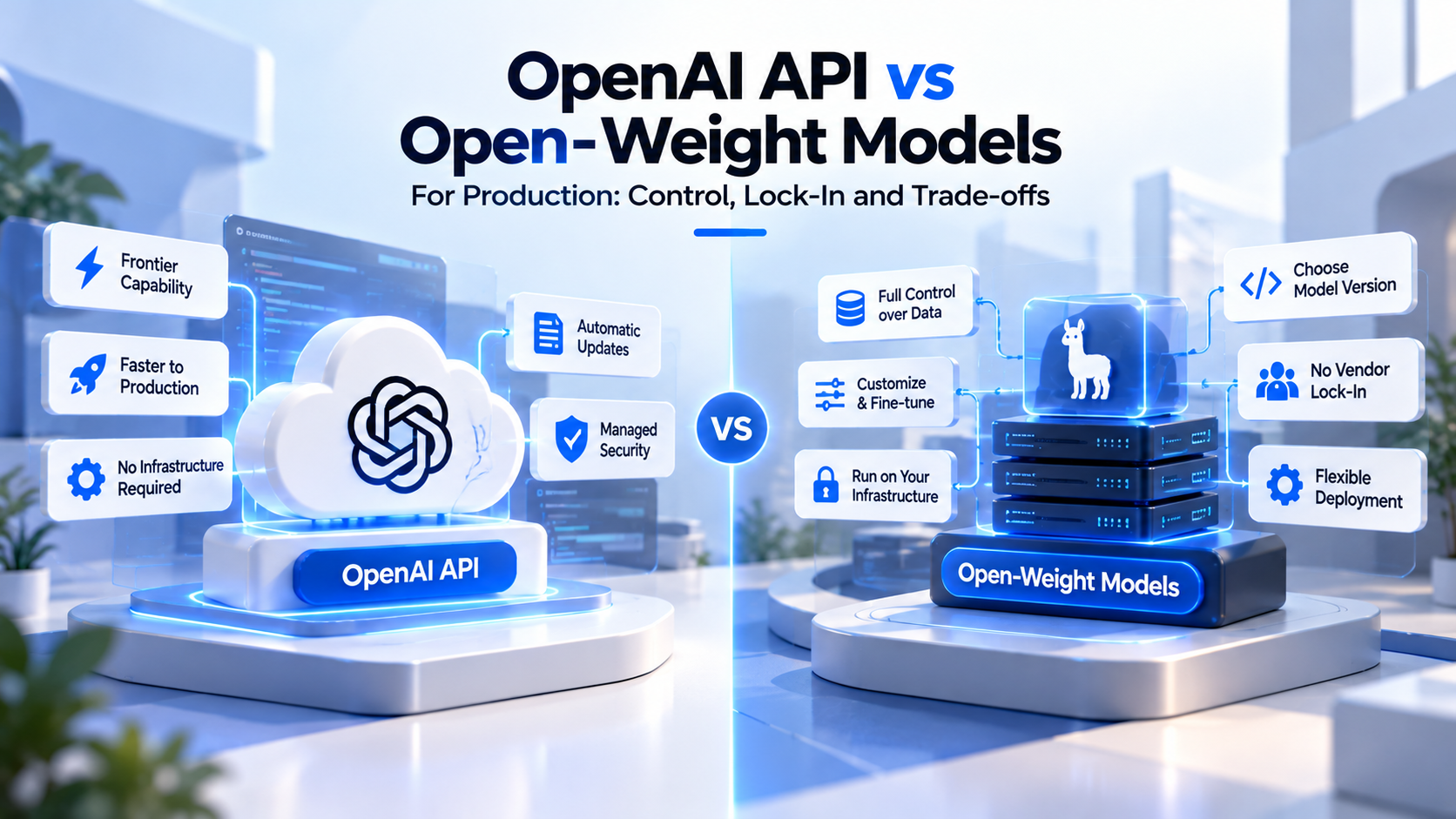
| Custom build (RAG plus MCP) | Your architecture, your models, your hosting | Custom or regulated data, domain-specific answers, need to embed the assistant in your own product or workflows | You own connectors, ACL sync, evals and operations |
Menlo's 2025 report found copilots took 86% of horizontal AI spend, led by ChatGPT Enterprise, Claude for Work and Microsoft Copilot, so many companies will already own one of these. The common pattern is hybrid: keep the bought assistant for general knowledge, and build custom retrieval or MCP servers for the systems it can't reach. Our build vs buy AI capability framework sets out the wider decision.
Who do you need to build one?
A first version typically needs a RAG or search engineer for ingestion, chunking and retrieval tuning; an LLM engineer for prompts, citations and evals; a backend engineer for connectors, identity integration and ACL sync; and a product owner who owns adoption and the success metric. Security review should join at the design stage, not at the end. If you plan to hire RAG engineers, screen for retrieval evaluation and permission design, not only for familiarity with a vector database. Our comparison of LLM, RAG and MLOps engineers explains which role owns what.
How fwdpod approaches this
Fwdpod builds dedicated AI engineering pods for LLM development, RAG development, AI agents and product delivery. A pod is 4–6 experts working around a single measurable outcome; for a knowledge assistant, that outcome might be a deflection rate or a time-to-answer target agreed before any code is written. One of the pod templates is a RAG and Knowledge pod, and fwdpod's templates range from 8 to 16 weeks. How a RAG and Knowledge pod would be scoped around the knowledge tools you already use is something the team can walk you through on a first call.
To scope a first build, configure your AI engineering pod by answering five questions and receive a custom proposal within 48 hours. For pricing or a conversation about extending a tool you already own, talk to the team.
Frequently Asked Questions
1. How long does it take to build an internal knowledge assistant?
A focused first version covering one department and a few source systems can usually reach users in a matter of weeks, not months. The schedule depends far more on connector complexity, permission sync and content cleanup than on the model. Company-wide coverage is a series of later releases.
2. Can an internal knowledge assistant work with on-premises or air-gapped data?
Yes, with a custom build. The index, embedding model and language model can all run inside your own network, using open-weight models if external APIs are not allowed. Off-the-shelf SaaS assistants generally require cloud connectivity, so check each vendor's deployment options.
3. What is the difference between enterprise search and a knowledge assistant?
Enterprise search returns a ranked list of documents for you to read. A knowledge assistant uses the same retrieval step, then writes a direct answer from the top passages and cites them. Most modern products do both, and the retrieval quality underneath decides how good either one is.
4. How do we stop the assistant from showing confidential documents to the wrong people?
Store each document's access list with its chunks, filter every search by the asking user's identity and groups, keep those permissions in sync with the source systems, and test with accounts that have different access. Also fix oversharing in the source systems first, because the assistant will respect whatever permissions already exist.
5. Which language model should we use?
Most current frontier and strong open-weight models can produce grounded, cited answers once retrieval is good. Choose based on data residency, hosting rules, latency and cost, then confirm with your own evaluation set. Changing the model is usually easier than fixing poor retrieval.
6. Should the assistant be able to take actions, like filing tickets?
Not in the first release. Start read-only, prove answer quality and permission safety, then add narrow actions such as creating a ticket or drafting a request, with user confirmation before anything is submitted. Exposing those actions through an MCP server keeps them reusable and auditable.
7. How do we measure return on investment?
Pick one operational measure before launch, such as tickets deflected, time new hires spend searching, or escalations avoided, and capture a baseline. Track it alongside usage, thumbs-up rate and the share of questions answered with a citation. Usage alone is not a business outcome.